git是什么?

git是一个版本控制系统,可以看做一种工具,或者一种命令,常用到命令git config – (一种工具)

gitlab是什么?

gitlab是基于git的一个开源项目,可以搭建到本地进行项目托管,并能够设置权限、发表评论、或者成员间进行代码沟通。(开源项目)

gitlib是什么?

gitlib是实现git的类包。(类包)

github是什么?

github是一个平台,主要托管基于git管理的各种开源项目,提供一个存储项目的仓库网站。(一个网站)

gitlab与github的区别?

最大的区别在于对私有库的管理上,github是需要收费的,gitlab是免费的。
如果做一些开源的项目,可以使用github。如果对于一些不便于全部代码都公开的项目,可以选择gitlab。

服务器信息

一台本地仓库、一台远程仓库

部署Gitlab

硬件配置建议CPU两个核心,4G内存及以上,已安装Git(yum)

安装gitlab

1
2
3
4
5
[root@localhost ~]# rpm -ivh gitlab-ce-11.0.3-ce.0.el7.x86_64.rpm
[root@localhost ~]# cd /etc/gitlab/
[root@localhost gitlab]# vim gitlab.rb
# 修改
external_url 'http://1.1.1.1'

启动服务

1
[root@localhost gitlab]# gitlab-ctl reconfigure

访问1.1.1.1

upload successful

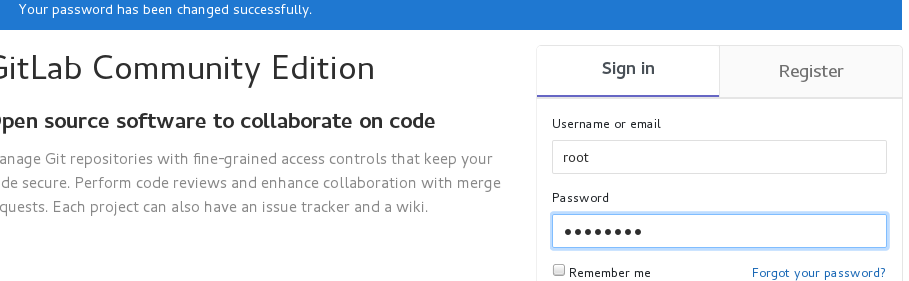
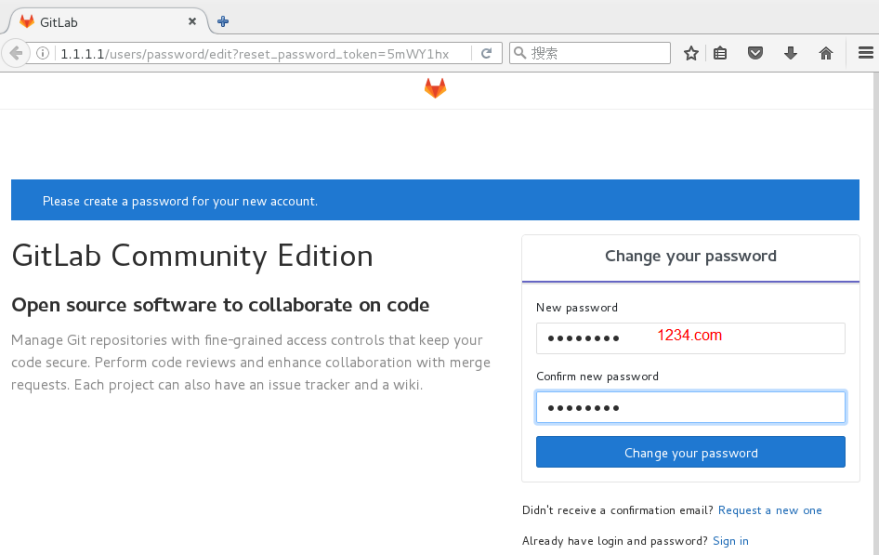
设置密码

刷新

upload successful

upload successful

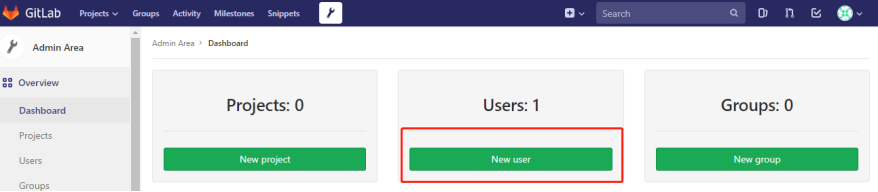
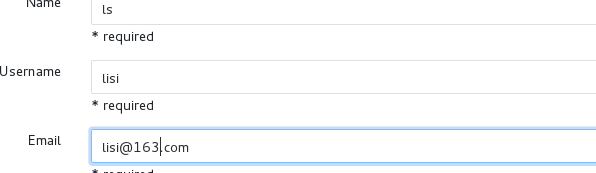
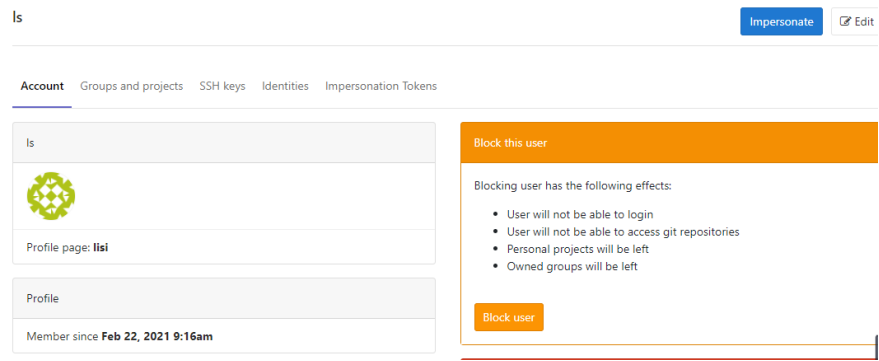
创建用户

upload successful
upload successful

upload successful

upload successful

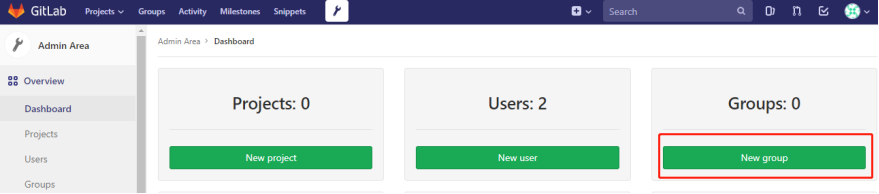
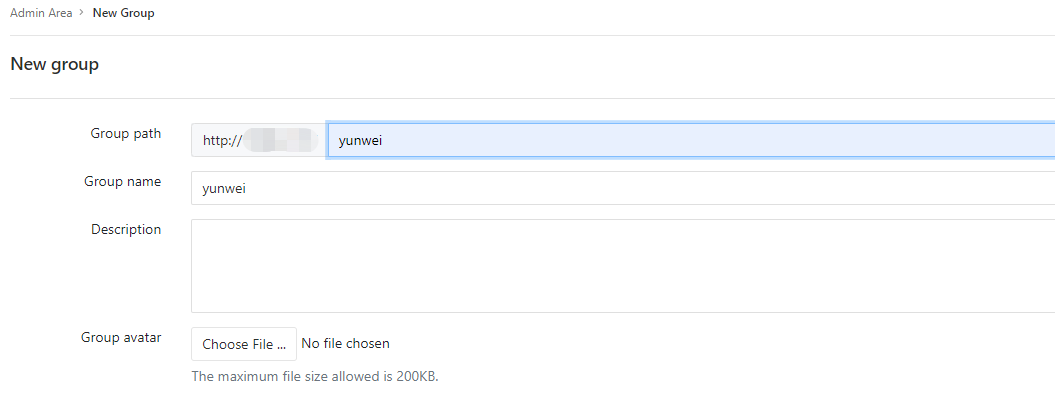
创建组

upload successful

upload successful

upload successful

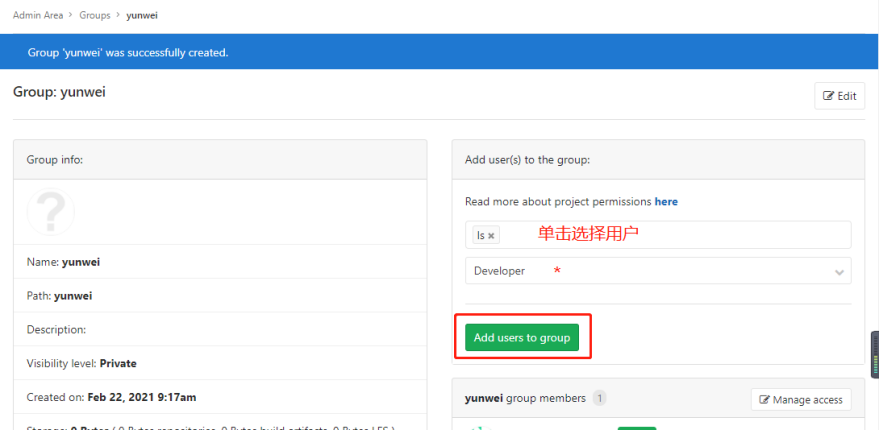
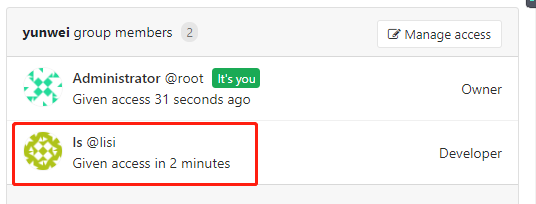
用户加入组

upload successful

upload successful

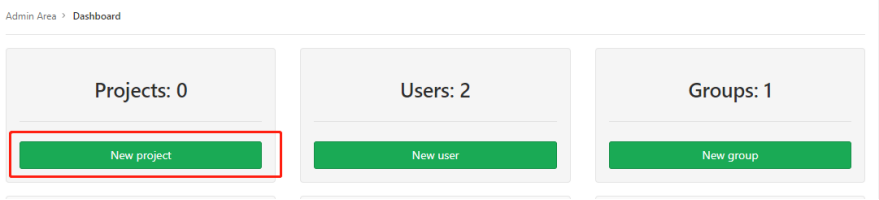
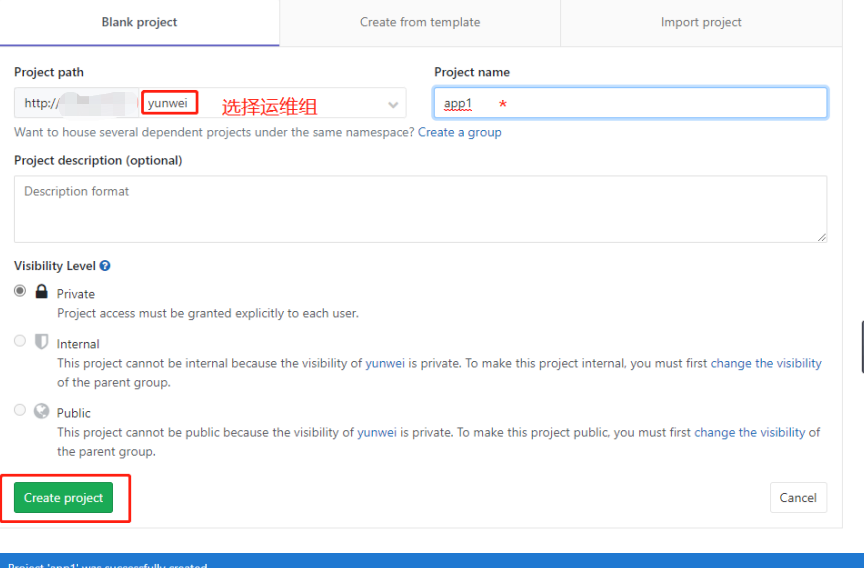
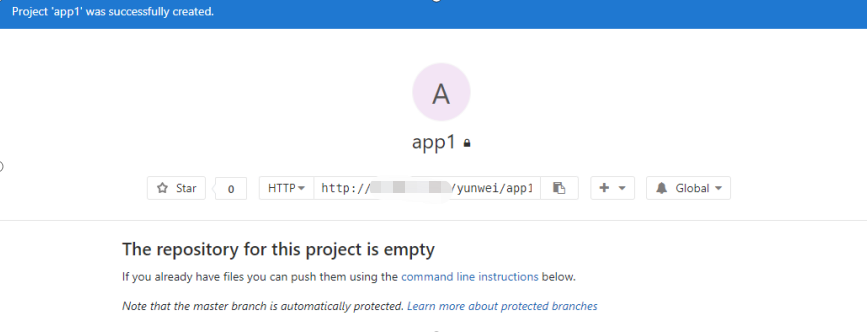
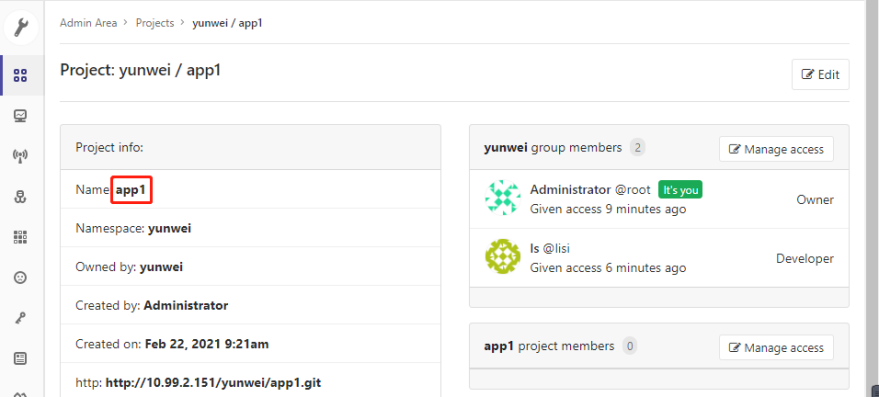
创建仓库

upload successful

upload successful

upload successful

本地与远程做免密

upload successful

upload successful

本地仓库-One

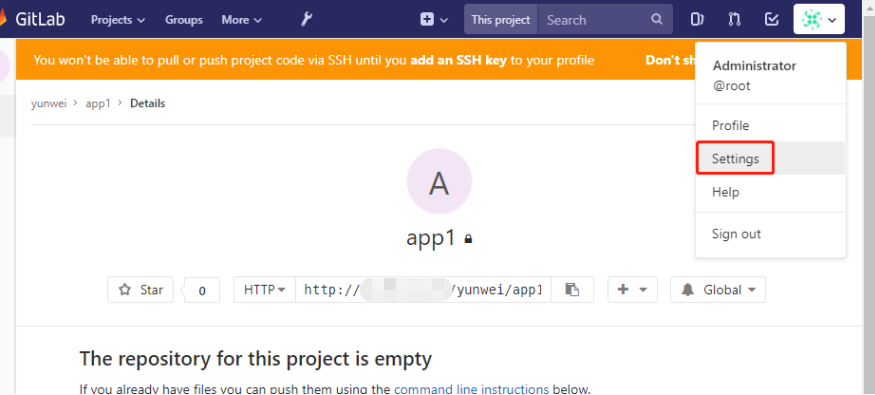
配置密钥

1
2
3
4
5
6
7
8
9
10
11
12
13
14
15
16
17
18
19
20
21
22
23
24
25
26
27
28
[root@localhost gitlab]# ssh-keygen -C "zx@qq.com"
Generating public/private rsa key pair.
Enter file in which to save the key (/root/.ssh/id_rsa):
Created directory '/root/.ssh'.
Enter passphrase (empty for no passphrase):
Enter same passphrase again:
Your identification has been saved in /root/.ssh/id_rsa.
Your public key has been saved in /root/.ssh/id_rsa.pub.
The key fingerprint is:
SHA256:c4YSlFdmYWqtvWuhXW0GC2IWSHllN/yc9ia3FwTFEnM zx@qq.com
The key's randomart image is:
+---[RSA 2048]----+
| .o+ oOooo+E |
| .+ +B ..+o. |
| .oo.. oo. |
| o++. . =. |
| .oS.+. =.. |
| . +..o =.+|
| o.o o +o|
| . o. ..|
| .. .|
+----[SHA256]-----+

[root@localhost codes]# cd /root/.ssh
[root@localhost .ssh]# ls
authorized_keys id_rsa id_rsa.pub
[root@localhost .ssh]# cat id_rsa.pub
ssh-rsaAAAAB3NzaC1yc2EAAAADAQABAAABAQDiob2YIZv0zWCGBSPecDN/jZGB3BZ4KOxyb0MkqUcLDVXoC0Pw+Dgs2hxVM7AFJcFPjHrD4dr3gdIMX0fgc6NKQo84w1hEuJ3bccEsCtwomkYa0K9pScSn8wogOVdR26go3sYX2z+Cfp4DfqmwPyR8wdxXolUJzw8OMLrWwMxxDG08lFu0M5bfioj+UdUWd8YdhbLZx3P0DCvNiTJtGGlz+q6BV/Eip0GOhyZe5fsb2M8zWsMJKWfpQvNPnFNuD3YFlZ14q0Pa5o8oIYHhSqNYJL6dsrSNZK0LUARPnl+wfEeKig/6gcEzyhD+hVbOGbCktISkZAY7wQvfvkhQYvAF zx@qq.com

upload successful

upload successful

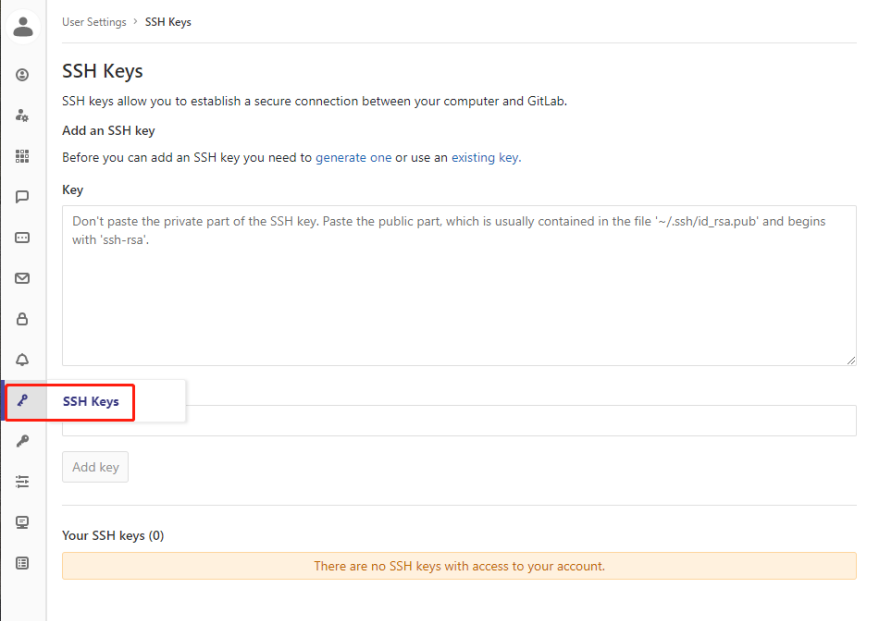
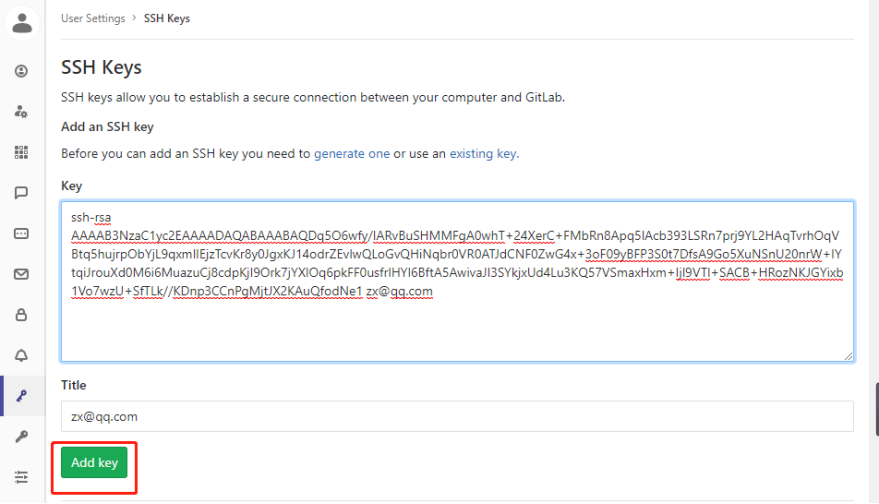
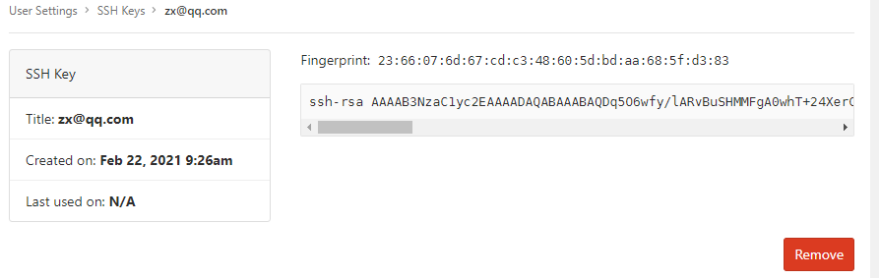
将密钥粘贴到平台SSH key中

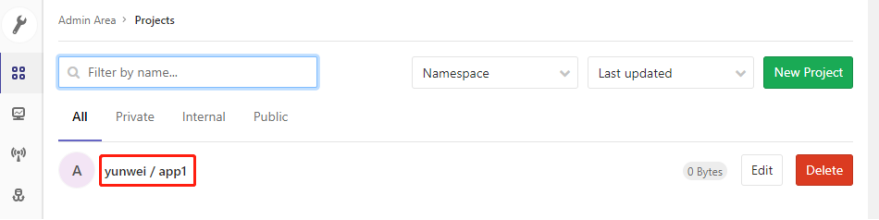
查看远程仓库url

upload successful

upload successful

upload successful

upload successful

创建本地目录

1
2
3
4
5
6
7
8
9
[root@localhost ~]# git config --global user.name "Administrator"
[root@localhost ~]# git config --global user.email "admin@example.com"
[root@localhost ~]# mkdir codes //创建本地仓库
[root@localhost ~]# cd codes/
[root@localhost codes]# git init //初始化本地仓库
初始化空的 Git 版本库于 /root/codes/.git/
[root@localhost codes]# git remote add origin git@1.1.1.1:yunwei/app1.git //关联远程仓库
[root@localhost codes]# git pull origin master
[root@localhost codes]# git push -u origin master //将本地仓库的数据推送到远程仓库的主分支

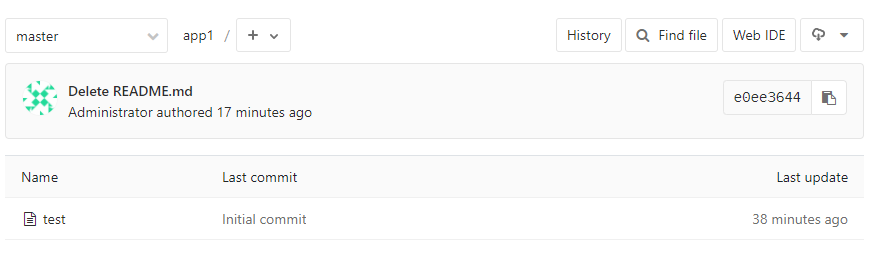
创建文件并上传到远程仓库

1
2
3
4
[root@localhost codes]# touch test
[root@localhost codes]# git add .
[root@localhost codes]# git commit -m "Initial commit"
[root@localhost codes]# git push -u origin master

upload successful